Ways to Give

Donate with Confidence

A secure, verification-based donation process. Your support helps deliver on-ground impact—education, healthcare, food support, and community development.

Secure Portal
Payment Proof + Receipt
Transparent Records
Secure Payment Details
UPI / QR / Bank Transfer (recommended)
Verified
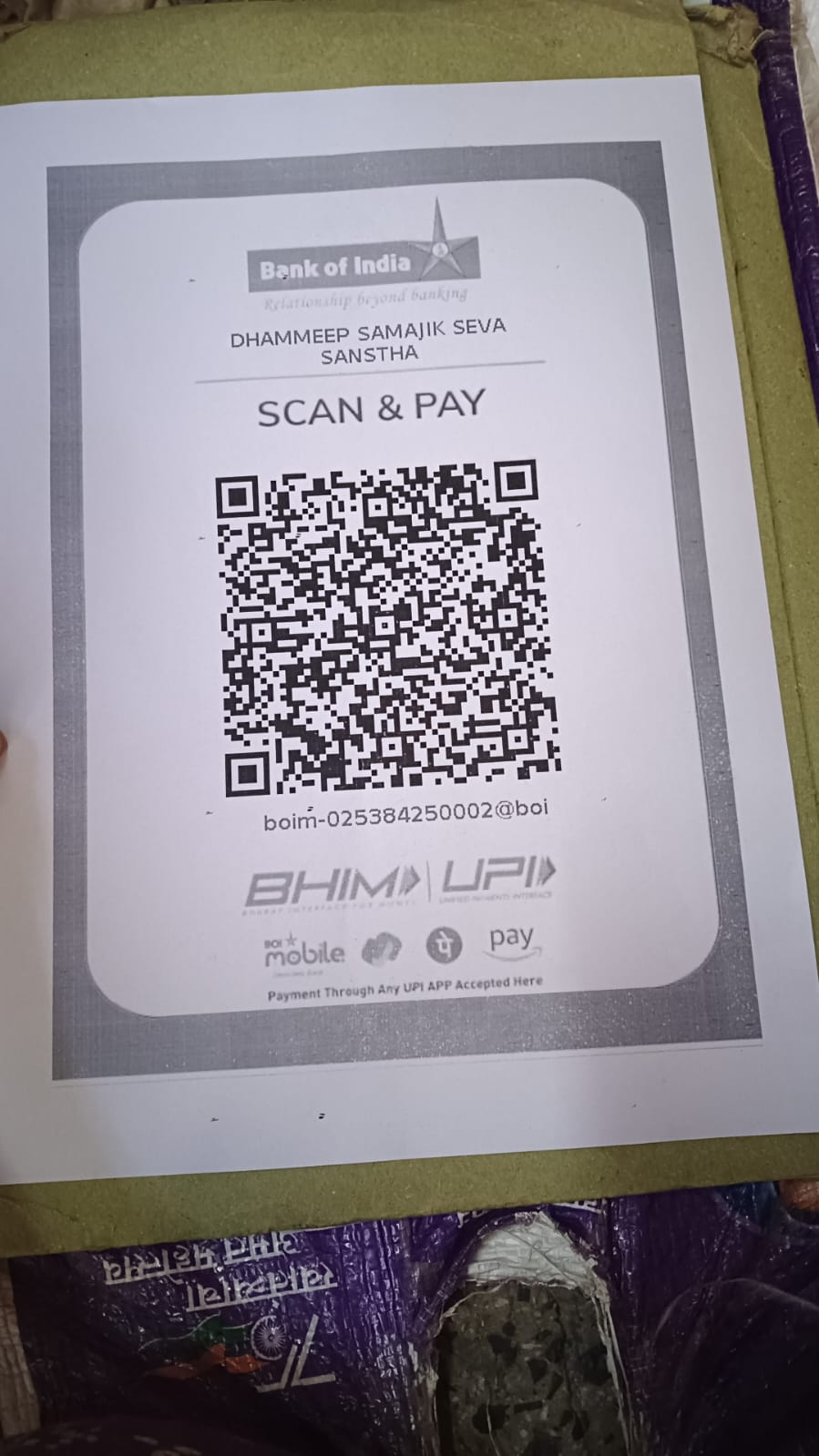
UPI QR
UPI ID
Not set by admin yet
How it works
1) Pay via UPI/QR/Bank → 2) Fill donor details → 3) Upload screenshot/UTR → 4) Admin verifies

Official & Verified Donation Process
Payments are accepted only via UPI/QR/Bank Transfer. Receipt is issued with unique Donation ID & Transaction/UTR. Verification is done by admin before marking as completed.
Reg. NoNot set
80GNot set
PANOptional
Preview the official receipt format
Preview Receipt
For help, contact us from the Contact page.
Donation Portal

Quick overview before you donate

Use UPI/QR/Bank transfer only. Submit UTR + screenshot for verification. Receipt is generated with a unique Donation ID.
Direct Support
Food support, education essentials, and urgent help for families in need.
Receipt & Documentation
Instant receipt with UTR/Transaction ID and verification status (80G as applicable).
Transparent Records
Clear records, admin verification, and trackable receipts for your peace of mind.
Select Contribution
Monthly is a pledge preference; payment is still verified per transaction.

Your Details
Payment Confirmation

Step 1: Pay via UPI/QR/Bank Transfer → Step 2: Enter Transaction/UTR → Step 3: Upload screenshot.

Only UPI / QR / Bank Transfer supported. Cash/Card disabled.
We use this to prevent duplicate entries and verify payment.
256-bit SSL Secure Transaction
Payment Details
Choose UPI/QR or Bank Transfer
Secure
UPI / QR
Instant
UPI QR Code
UPI ID
Not set by admin yet
Download
Accepts GPay, PhonePe, Paytm, BHIM

Bank Transfer
Manual
Account Name
धम्मदीप सामाजिक सेवा संस्था
Bank Name
Bank of India
Account Number
025310210000002
IFSC
BKID0000253
Branch
Maharashtra
After transfer, enter UTR/Transaction ID and upload screenshot.
FAQs (Secure Donation)
Common questions to build trust
Help

After payment, you submit UTR/Transaction ID + screenshot. Admin verifies it and then marks donation as Completed.

Yes. A receipt is generated immediately with Donation ID & Transaction/UTR. Once verified, the status becomes verified/completed. You can preview the format here: Receipt Preview.

Only UPI / QR / Bank Transfer is supported. Cash/card is not supported on this portal.

Contact support via the Contact page .
Newsletter Subscription

Stay Informed & Connected

Subscribe to receive latest updates, impact stories, and ways to make a difference.

Your privacy is our priority. Unsubscribe anytime.